
Step 1Select text
In any app — browser, Mail, Slack, Word, or a code editor.
For Mac and Windows
You're on the waitlist. We'll write when it's ready.
Promptly turns any text you select on your Mac or Windows PC into a ready-to-send AI prompt — with your own prompt library one click away.
Works with ChatGPT, Claude, Gemini, Grok, DeepSeek, Mistral, Perplexity, Microsoft Copilot, or a custom URL. On Mac: requires macOS 26 or later, Apple silicon.
Planned prices: Free, Pro $7/month or $59/year, Lifetime $149 for the first 300 buyers. See plans
Beta: the first 50 people on the waitlist get Pro free for a year, in exchange for 15 minutes of feedback. Download the Mac beta
Q3 summary
Team,
The quarterly report shows a 12% increase in recurring revenue, driven mainly by mid-market accounts.
Let's discuss this in the Monday meeting.
Thanks,
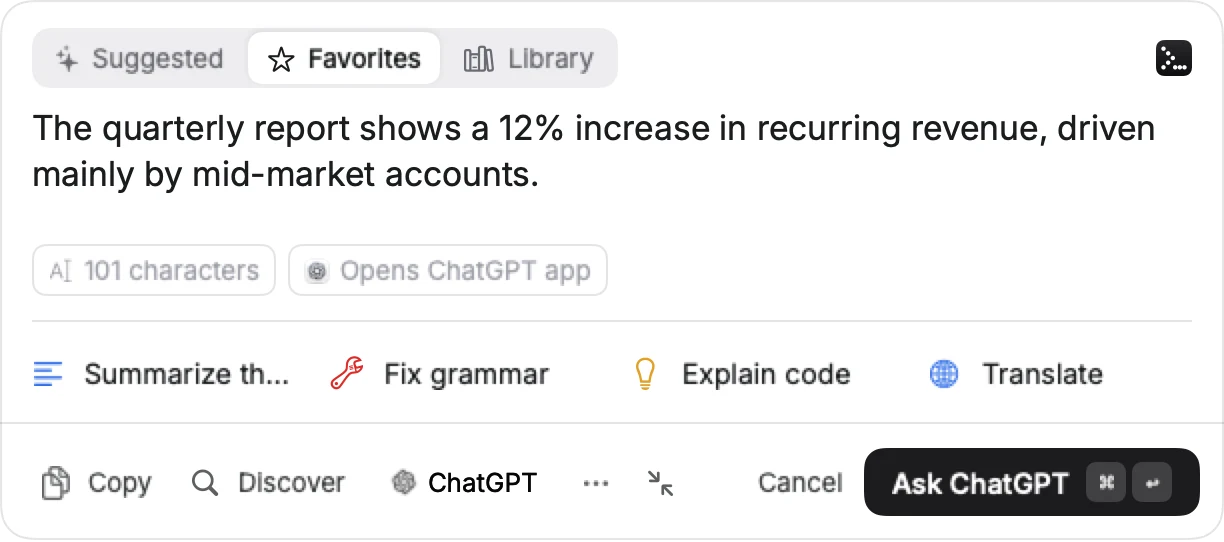
Three steps, from any app on your Mac or Windows PC.
In any app — browser, Mail, Slack, Word, or a code editor.

The Promptly popup appears next to your cursor, with your library one click away.

Promptly opens ChatGPT, Claude, Copilot or another service with the prompt and your text already filled in.
Modeled estimate
Best estimate: about 1.2 hours per week for a typical, active AI-using knowledge worker. Change the number of asks to see the modeled midpoint and range. This is a conservative modeled range for quicker access to reusable prompts — not a measured result from Promptly users, and not the larger productivity benefit of generative AI itself.
Cumulative, at 15 asks a day
How this is calculated. The slider uses the midpoint from the note: 45 seconds of direct saving plus 15% of interactions avoiding a 75-second retry, over five working days. At 15 asks a day that is 1.17 hours a week, rounded in the note to a best estimate of about 1.2 hours. The range uses the note’s low and high assumptions (30 seconds + 10% × 60 seconds, versus 60 seconds + 20% × 90 seconds). For a typical user that is approximately 0.75–1.6 hours a week. The chart shows cumulative modeled hours over 52 weeks, not a measured year. Claims substantially above 2 hours a week for an ordinary user would need actual usage telemetry. This is the incremental value of quick access to reusable, high-quality prompts — not the larger productivity benefit of generative AI itself. Read the full note, including sources.
Documented user types, from the note: light (5 a day) 0.2–0.4 hours a week; typical (15 a day) 0.75–1.6, best estimate ~1.2; heavy (30 a day) 1.5–3.3.
Select a paragraph in Mail or Pages, apply a rewrite prompt, and send it to ChatGPT or Claude without leaving the document.
Select a customer message, pick your reply prompt, and open the AI you already use with the text already filled in.
Select an error or a function, click a debug prompt, and send it on — no copy, switch, and paste in between.
Your library stays on your computer. On Mac, Promptly is a menu bar app — no Dock icon.
Your library is stored on your computer, in a local file you can back up or share.
You sign in with email, Google, or Apple. Your prompts stay on your computer — we don’t upload your library.
Promptly sends text only to the AI service you choose, when you click Ask.
Workspace tokens for Slack and Microsoft 365 are kept in the macOS Keychain.
AI quality checks can run fully on-device with Apple Intelligence.

Appears next to your cursor when you select text. Choose Full or Minimal, and switch any time. It never covers the selection, and flips at the screen edges.
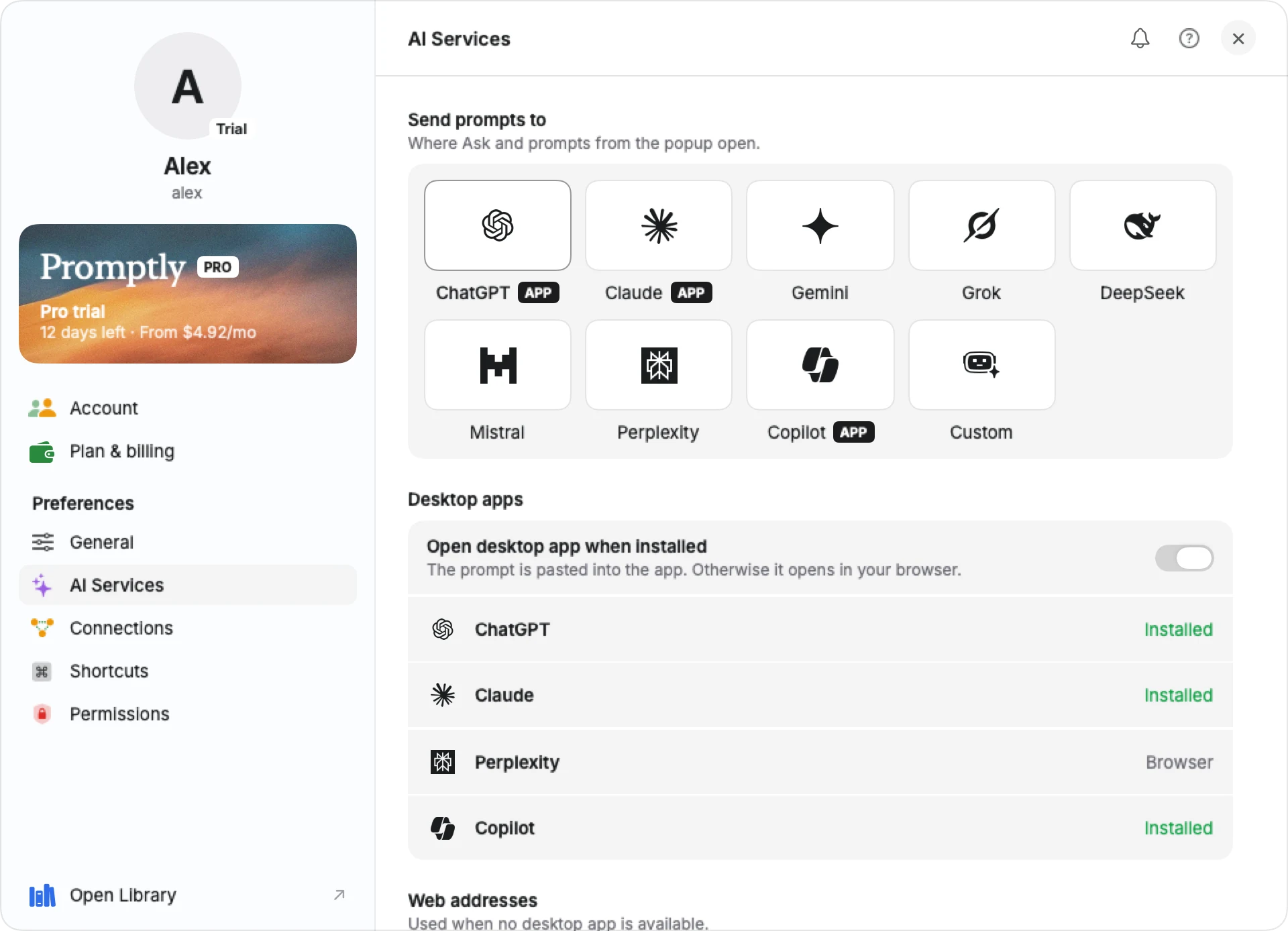
If a supported desktop app is installed, Promptly opens it and pastes automatically. Otherwise it opens the browser, or copies to the clipboard.
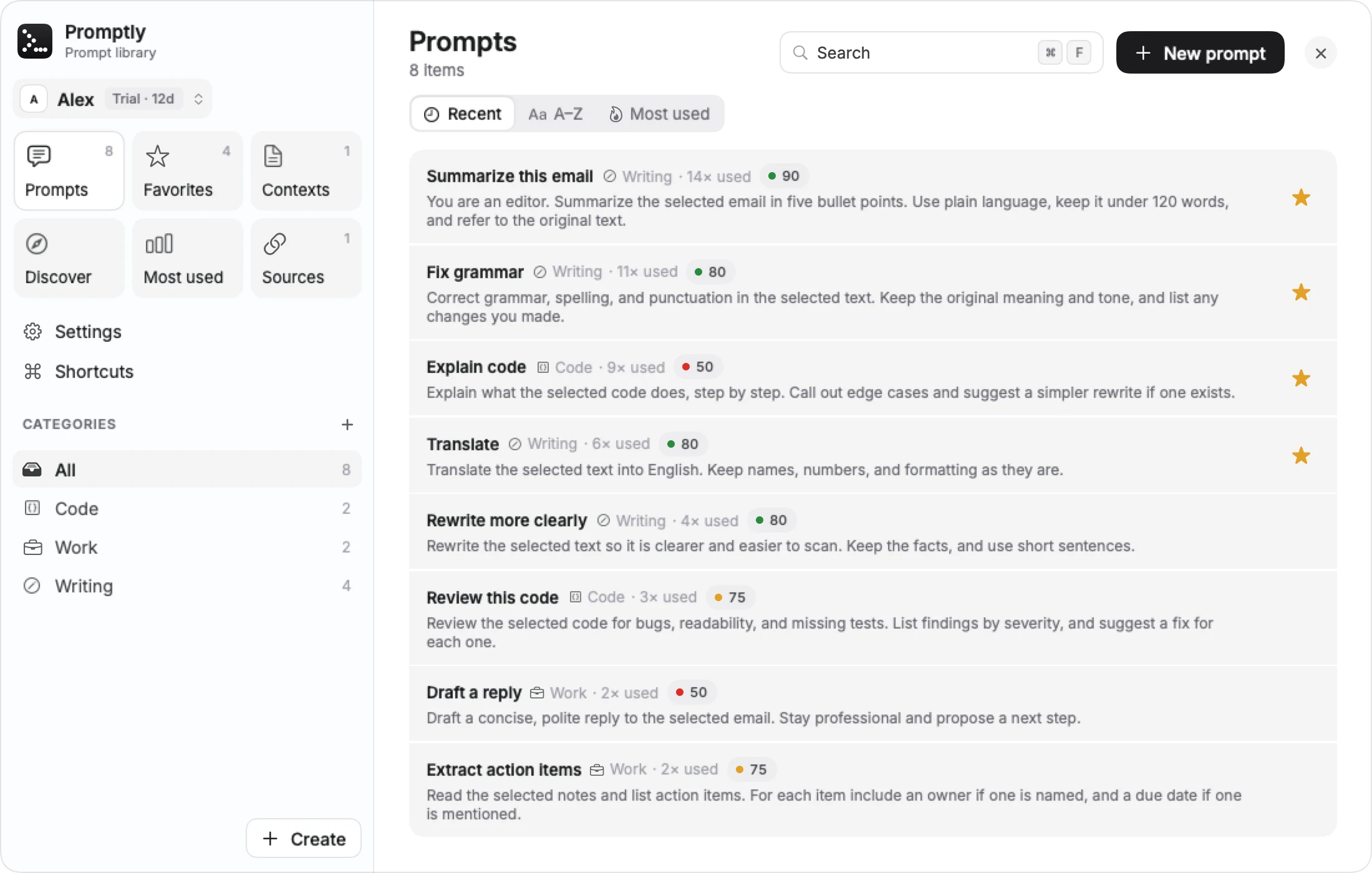
Save prompts and contexts, organise them with categories, and star favorites so they show first in the popup.
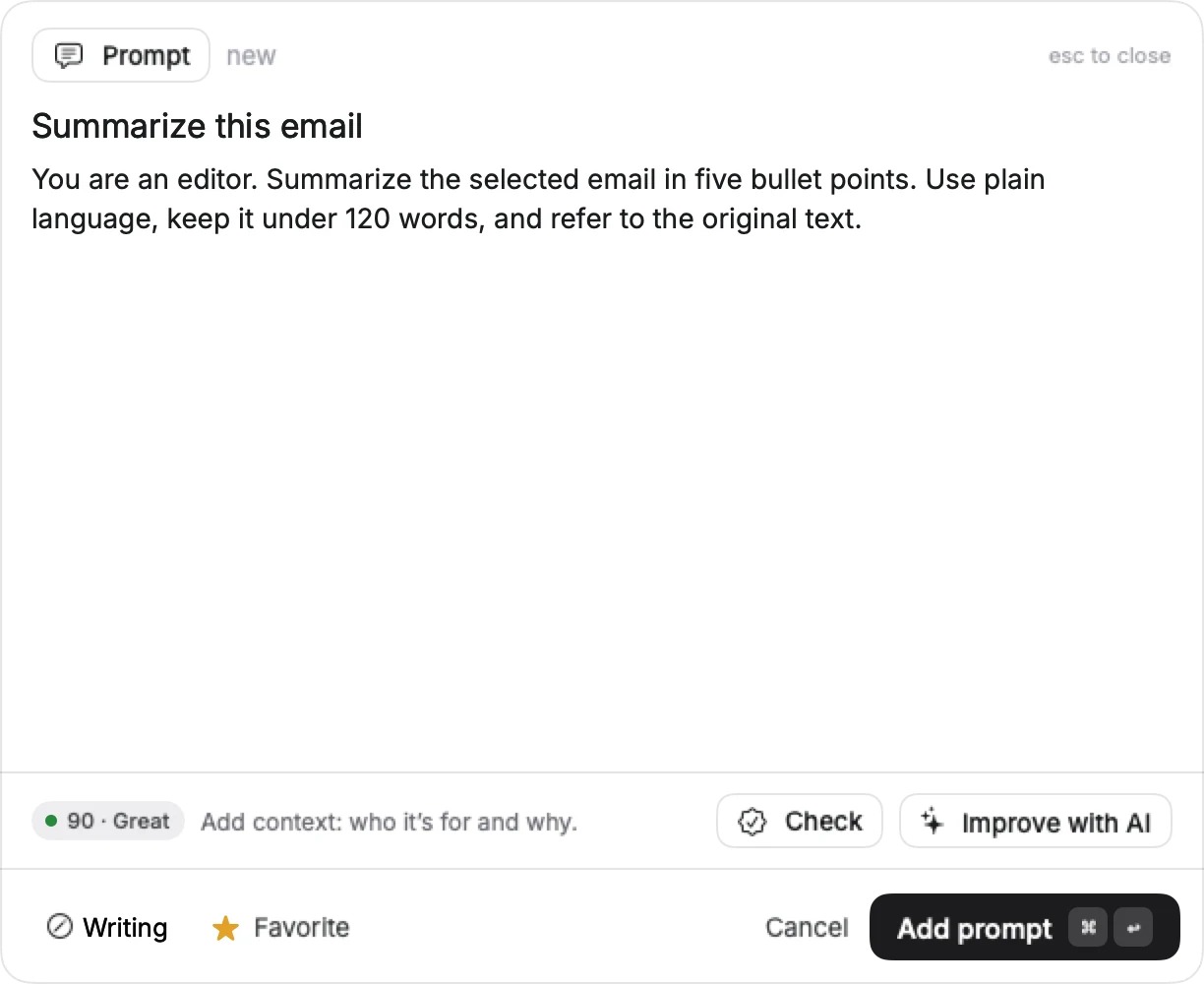
An instant 0–100 score with a colour indicator, plus Check and Improve with AI. On Mac, this can run on-device when Apple Intelligence is on. The instant score currently understands English prompts best.
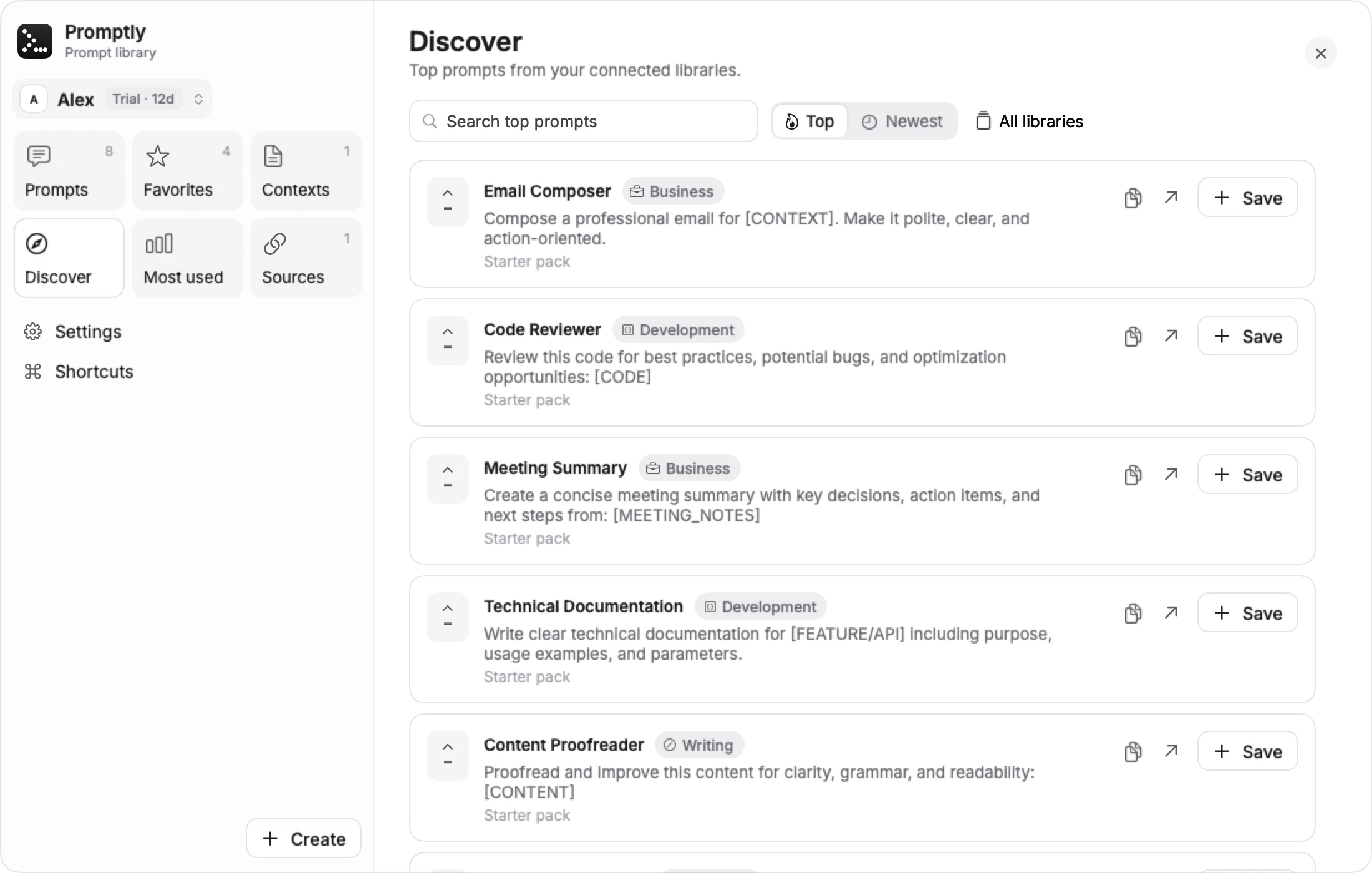
Browse connected libraries such as prompts.chat. Copy, Ask, or Save a prompt into a category in one click.
Connect a shared JSON or CSV URL, Slack, or Microsoft 365. On Mac, tokens are stored in the macOS Keychain.
The ones you'll use every day, plus the rest in Settings.
Placeholder quotes for now. Real names, photos and text will replace these.
Your quote goes here. A few sentences about how Promptly fits into daily work — we’ll replace this with the real text.
Second quote. What this person noticed after using Promptly, in their own words.
Third quote. A short comment on a feature or the everyday workflow.
Early pricing · coming soon
Early pricing
Payments are not live yet. Free is yours to keep, with up to 20 prompts and contexts, plus a 14-day Pro trial for everyone, no card needed. Join the waitlist and we'll write when you can download Promptly.
A free plan you can keep, with up to 20 prompts and contexts, a 14-day Pro trial for everyone, no card needed, then Pro Monthly, Pro Yearly, or Lifetime for the first 300 buyers.
Free is yours to keep, with up to 20 prompts and contexts. Everyone gets a 14-day Pro trial, no card needed — it never charges you and ends on Free. Paid Monthly and Yearly plans renew until cancelled. Lifetime is one-time.
Forever
Yours to keep
See plansSave $25
$4.92/mo · Save $25
Join waitlistFirst 300 buyers
Join waitlistFree is the Promptly popup and your library of up to 20 prompts and contexts, yours to keep. Pro includes unlimited prompts and contexts, desktop-app routing for ChatGPT and Claude, Discover and connected libraries, and smart suggestions in the popup. Compare plans
Shared workspaces with members are coming soon.
It works wherever you can select text. Most apps expose the selection directly; in others Promptly briefly uses copy to read it.
The one you choose: ChatGPT, Claude, Gemini, Grok, DeepSeek, Mistral, Perplexity, Copilot, or your own URL.
No. Promptly opens the AI service you already use.
On your Mac or Windows PC, in a local file you can back up or share.
Yes — via a shared JSON/CSV link, Slack or Microsoft 365.
To read the text you select and paste prompts into desktop AI apps.
The trial never charges you. When it ends, Promptly continues on the Free plan. If you subscribe, Monthly and Yearly plans renew until cancelled. Lifetime is a one-time purchase. Payments are not live yet.
Windows is coming. Join the waitlist to hear when it is ready.